
 See My Latest Article on HelloNation
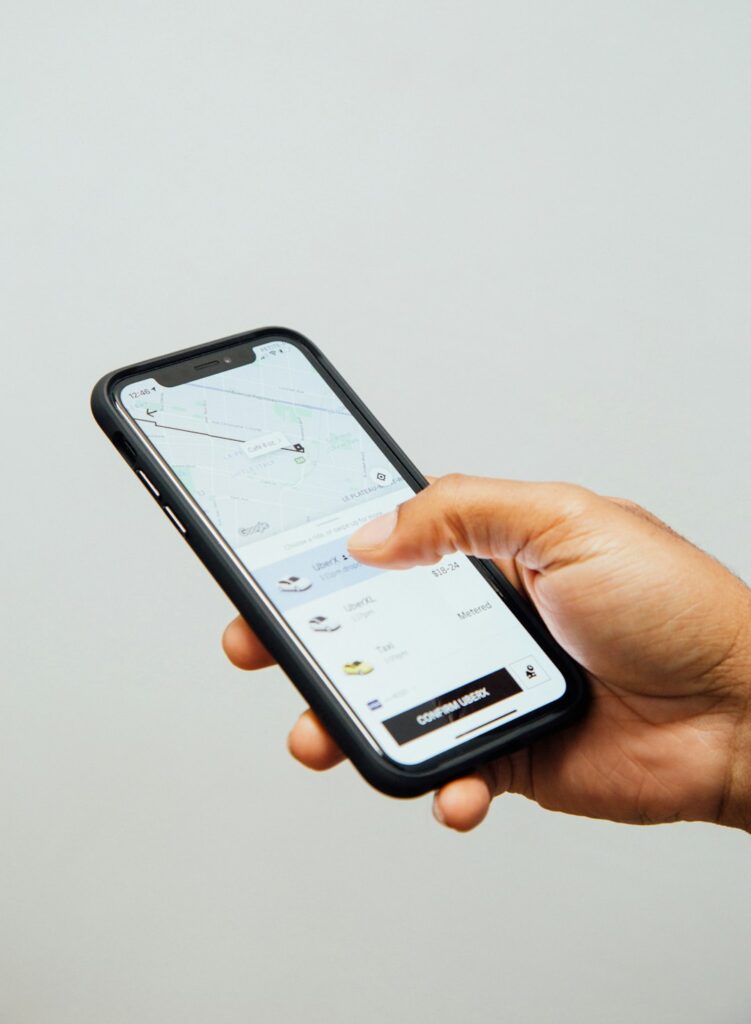
Property management apps are no longer limited to rent collection. The most useful tools help organize maintenance requests, resident communication, inspections, documents, payments, and emergency records in one place. For residents in Spring Lake, a community just outside of Ft. Bragg, these systems can make routine housing issues easier to report and track, especially during busy moving seasons or periods of severe weather.
What do property management apps usually do?
Most property management platforms combine several daily tasks into a shared digital workspace. A resident may use the system to submit a repair request, review a notice, upload a document, or check payment information. A property manager may use the same platform to assign work, document communication, schedule inspections, and maintain records.
Common functions include:
- Online rent and fee payment
- Maintenance request submission
- Resident announcements and two-way messaging
- Lease and document storage
- Move-in and move-out inspections
- Work-order scheduling
- Property accounting and expense tracking
- Vacancy and application management
- Automated reminders
- Reports for owners, managers, and residents
The purpose is not simply convenience. A well-organized system creates a clearer record of what was reported, when it was reported, who handled it, and what action was taken.
Which tools are most useful for residents?
Residents generally benefit from tools that make communication and documentation straightforward. A resident portal is often the central point for routine housing matters.
A useful portal should allow residents to:
- Describe a maintenance issue in plain language
- Attach photographs or short videos
- Select whether the issue is routine or urgent
- Review the status of a submitted request
- Read community notices
- Access lease-related documents
- Receive written updates
Photo and video uploads can be especially helpful for issues that are difficult to explain, such as water staining, damaged flooring, appliance problems, or a malfunctioning exterior light. A clear image may help determine whether a request needs immediate attention or can be scheduled during normal maintenance hours.
Residents should still use the appropriate emergency procedure for conditions involving active flooding, fire, gas odors, exposed electrical wiring, or an immediate threat to health or safety. A general maintenance app is not always monitored continuously.
How do maintenance apps improve repair requests?
Maintenance software helps separate urgent conditions from ordinary service requests. It also reduces the risk that a request will be lost in a text message, voicemail, or email inbox.
A strong maintenance system usually records:
- The date and time of the request
- The location of the problem
- Photos or videos
- Access instructions
- The person assigned to the work
- Appointment details
- Notes about completed repairs
- Follow-up communication
For residents, the most effective request includes specific details. “The air conditioner is broken” provides less information than “The system turns on for five minutes, then stops, and the indoor temperature has continued rising since this afternoon.”
Seasonal conditions can affect maintenance patterns. Heavy rain may reveal roof, drainage, or moisture problems. Hot weather can place greater demand on cooling equipment. After a storm, residents should describe whether an issue appears to involve the building, a utility, a tree, or a nearby drainage area.
Are digital inspections reliable?
Digital inspection tools can create useful records, but they do not replace careful observation. Many systems allow users to complete room-by-room checklists, take photographs, record meter information, and document existing damage.
Move-in inspections are most useful when completed promptly and accurately. Residents should review each room, including:
- Walls, ceilings, floors, doors, and windows
- Plumbing fixtures and signs of leaks
- Appliances and built-in equipment
- Heating and cooling controls
- Smoke and carbon monoxide alarms
- Outdoor areas, parking spaces, and storage areas
Photographs should show both the overall condition and close-up details. A picture of an entire wall may not clearly show a small mark, while a close-up without surrounding context may make the location uncertain.
Digital inspection records can reduce disagreements, but they are only as dependable as the information entered. Residents should keep copies of submitted reports and photographs when the system permits downloads.
What should a resident communication app include?
A communication tool should make important information easy to find later. It should not bury a repair update beneath unrelated announcements or informal messages.
Useful features include:
- Separate channels for maintenance, billing, and general notices
- Automatic confirmation that a message was received
- Searchable message history
- Readable notices on both phones and computers
- Translation or accessibility features where available
- Clear records of appointment changes

Residents should read notices carefully before responding. Some messages may concern inspections, utility interruptions, severe weather preparation, pest treatments, or changes to access arrangements.
Email, text messaging, and app notifications may not always arrive at the same time. Keeping contact information current helps prevent missed notices, particularly for residents who change phone numbers, use multiple email accounts, or spend extended periods away from home.
How do payment and accounting tools protect clarity?
Electronic payment systems can make rent records easier to review. A resident should be able to see the amount charged, the date a payment was submitted, the payment status, and any applicable receipt or confirmation number.
Good accounting tools also help distinguish between:
- Rent
- Deposits
- Late charges
- Utility charges
- Reimbursable repairs
- Other permitted fees
Residents should save receipts and review their account after each payment. If a payment appears duplicated, remains pending unusually long, or is applied incorrectly, written communication is generally easier to track than a verbal conversation alone.
Security matters as well. Residents should use strong, unique passwords, avoid sharing login credentials, and be cautious about payment requests that arrive through an unexpected message. A legitimate system should clearly identify the account and provide a secure sign-in process.
Do property managers use task and calendar tools?
Yes. Task and calendar applications help coordinate inspections, vendor access, lease deadlines, preventive maintenance, and follow-up work. They are particularly useful when several properties or households require attention at the same time.
A well-managed calendar may include:
- Routine filter or equipment checks
- Lease renewal reminders
- Inspection windows
- Pest-control visits
- Landscaping or exterior maintenance
- Move-in and move-out appointments
- Follow-up dates for unresolved repairs
Residents benefit when appointment windows are specific and updated promptly. If access is required, the notice should explain the expected date, approximate time, purpose of the visit, and any preparation needed inside the home.
What are common problems with property management apps?
Technology can improve organization, but it does not guarantee good service. Common problems include outdated contact information, unclear request categories, duplicate submissions, missing attachments, and notifications that are disabled on a phone.
Residents can reduce confusion by:
- Using one primary reporting method for non-emergency requests
- Including the full address or unit information requested
- Describing what happened and when it began
- Avoiding multiple duplicate tickets unless the condition changes
- Checking whether a request is marked open, scheduled, or completed
- Saving confirmation numbers and receipts
- Reporting continued problems after a repair rather than assuming the issue is known
A digital record is most helpful when both sides use it consistently and communicate in specific terms.
What should residents expect from a well-designed system?
A useful property management system should make basic information easier to access, not harder. Residents should be able to understand how to report a problem, determine whether it is being handled, review important documents, and receive timely notices without searching through multiple unrelated channels.
The best tools are not necessarily the ones with the most features. Reliability, clear instructions, privacy safeguards, accessible records, and responsive follow-up matter more than a long list of technical functions. For households managing work schedules, school routines, travel, or changing weather conditions, simple and dependable communication is often the most valuable feature.